
Affiliate emails going to spam? Causes and fixes
Affiliate emails going to spam? Check authentication, sender reputation, redirect chains, shorteners, blocklisted offer domains and network creatives, in order.
· 5 min read · By Reda El Kasraoui

TL;DR: affiliate emails land in spam for three groups of reasons. The first is sender reputation: complaints, bounces, sudden volume, broken authentication. The second is links: redirect chains, public shorteners, blocklisted offer domains, shared tracking hosts, link text that shows another domain. The third is content and list: network creatives sent unchanged, image-only bodies, no one-click unsubscribe, lists without consent proof. Check them in that order, starting with SPF, DKIM and DMARC, then your reputation in Google Postmaster Tools, then every link in the email. Links are the cause most specific to affiliate mail.
Spam placement means the mailbox provider accepted your message but put it in the junk folder. A redirect chain is the series of hops a click goes through, for example your tracking domain, then the network's tracking link, then the advertiser's landing page. A blocklist is a list of IPs or domains (a DNSBL) that filters query when deciding what to trust; the Spamhaus domain blocklist is the one most often cited for domains in links.
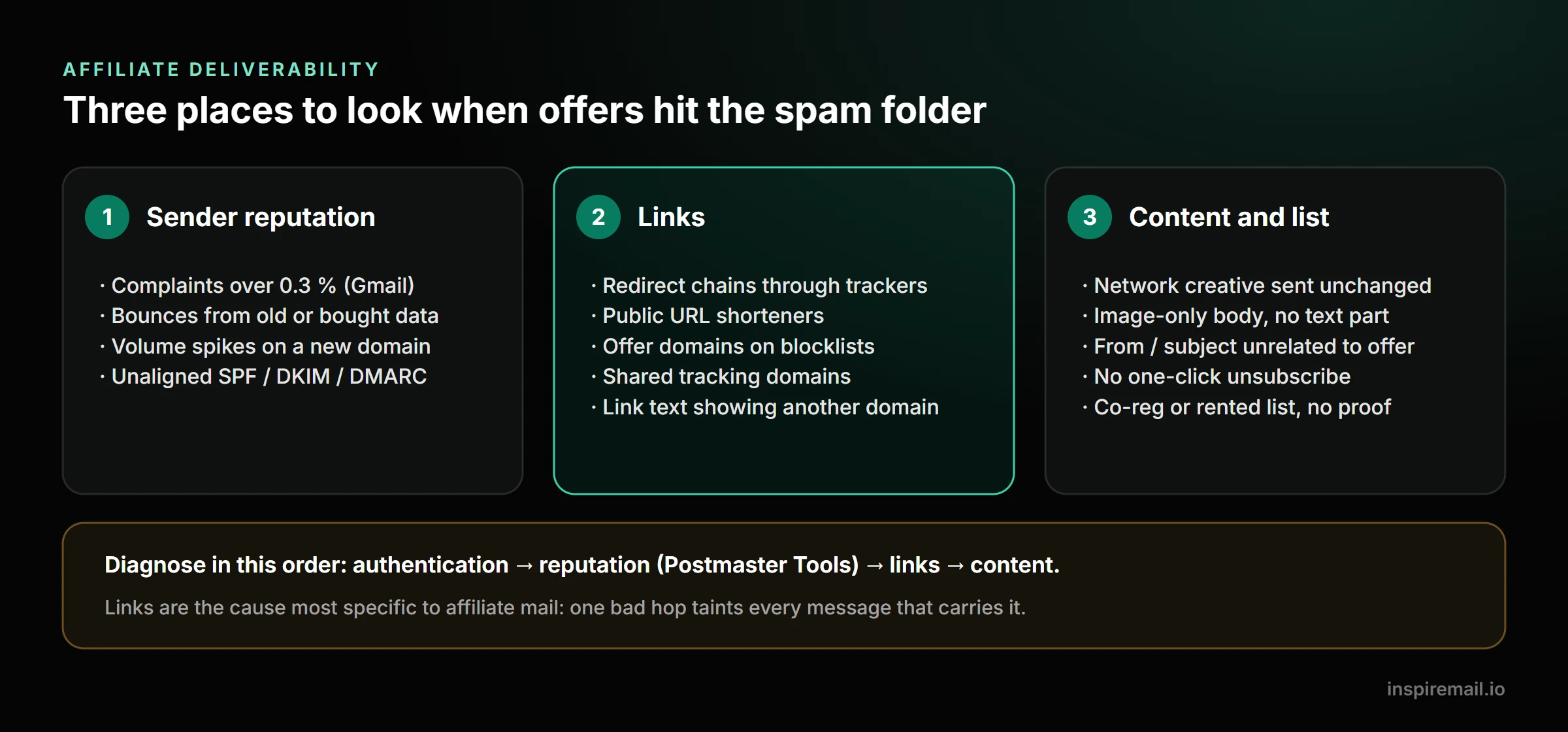 Three places to look when offers hit the spam folder
First, rule out authentication
Nothing else matters if the basics fail. Gmail and Yahoo require bulk senders to pass SPF and DKIM, publish DMARC and offer one-click unsubscribe; the rule list is in the bulk sender checklist. Open a delivered message, show the original, and read the Authentication-Results header: you want dkim=pass and dmarc=pass with your From domain.
The affiliate-specific trap is alignment. A provider's default return path passes SPF for the provider's domain, not yours. Set a custom MAIL FROM or return-path domain, and run an SPF, DKIM and DMARC check on every sending domain.
Then, look at reputation
Google's email sender guidelines ask bulk senders to keep the spam rate reported in Postmaster Tools below 0.1% and never reach 0.3%. Yahoo's sender best practices ask for the same authentication and a low complaint rate. Affiliate drops break that line more easily than newsletters for three reasons:
- The list is older or wider. Contacts who signed up for one thing get offers for another; some report spam instead of unsubscribing.
- Volume is spiky. A new domain that goes from zero to a large drop looks like a spammer; ramp it up over weeks instead.
- Bounces signal bad data. A drop to an old segment returns hard bounces, and a mailbox provider reads that as a sender who doesn't manage its list.
Google Postmaster Tools shows your domain's spam rate and authentication results at Gmail. Check it before and after each larger drop. Inspiremail's per-drop auto-pause stops a drop above 5 percent bounces or 0.1 percent complaints once 500 emails are delivered, by default.
Then, check every link
This is where affiliate mail differs from everything else. A newsletter links to its own site; an affiliate email links through two or three companies' infrastructure to a domain many other senders also mail. Filters look at each domain in that chain.
| Link problem | Why filters care | What to do |
|---|---|---|
| Long redirect chain | Each hop is another domain to judge; chains are a common way to hide a destination | Keep it to your tracking domain, the network link and the landing page |
| Public URL shortener | Hides the destination; widely abused, often blocklisted | Never use one in email; use your own tracking domain |
| Offer domain on a blocklist | A listed domain in the body taints the whole message | Look it up; ask the network for a clean domain or skip the offer |
| Shared tracking domain | You inherit the reputation of every sender on it | One branded tracking domain per sender, see tracking domains explained |
| Link text shows another domain | "example.com" in the text, another host in the link looks like phishing | Write descriptive text, not URLs, as link text |
| Plain http or a raw IP | Old or suspicious infrastructure | HTTPS links on named hosts only |
Inspiremail follows each link in a drop through its redirects before sending. It flags shorteners, text that shows a different domain, plain http, raw IP hosts and chains with several hops, and checks against Google Safe Browsing when that is enabled. A link flagged as malicious blocks the deploy.
Finally, content and list
Content matters less than reputation and links, but affiliate creatives have habits filters recognize:
- The same creative, from everyone. For example, a solar-quotes creative mailed by dozens of affiliates in the same week. When dozens of affiliates send a network's creative unchanged, its fingerprint is everywhere, including in spam traps. Keep the approved copy, but write your own intro and send a real plain-text part.
- One big image. An image-only email with a single link gives filters little text to judge, and readers on blocked images see nothing.
- From and subject that don't match the content. Use the network's approved lines, from a sender name readers know.
- No easy way out. A missing List-Unsubscribe header with one-click support turns unsubscribes into spam reports. The footer rules are in the CAN-SPAM footer guide linked from the affiliate email marketing guide.
- A list you can't explain. Co-registration and rented data are where spam traps live. Suppress the advertiser's list on every drop and your own unengaged contacts too.
A spam diagnosis routine for affiliate emails
- Send a test to seed addresses at Gmail, Yahoo and Outlook, and read where it lands (seed list testing).
- Read the headers of the seed copies: SPF, DKIM and DMARC must pass and align.
- Check Postmaster Tools for the sending domain's spam rate over the last week.
- Resolve every link to its final destination and look up each domain on the blocklists.
- Send to your most engaged slice first, watch complaints and bounces per mailbox provider, and widen only if they stay low.
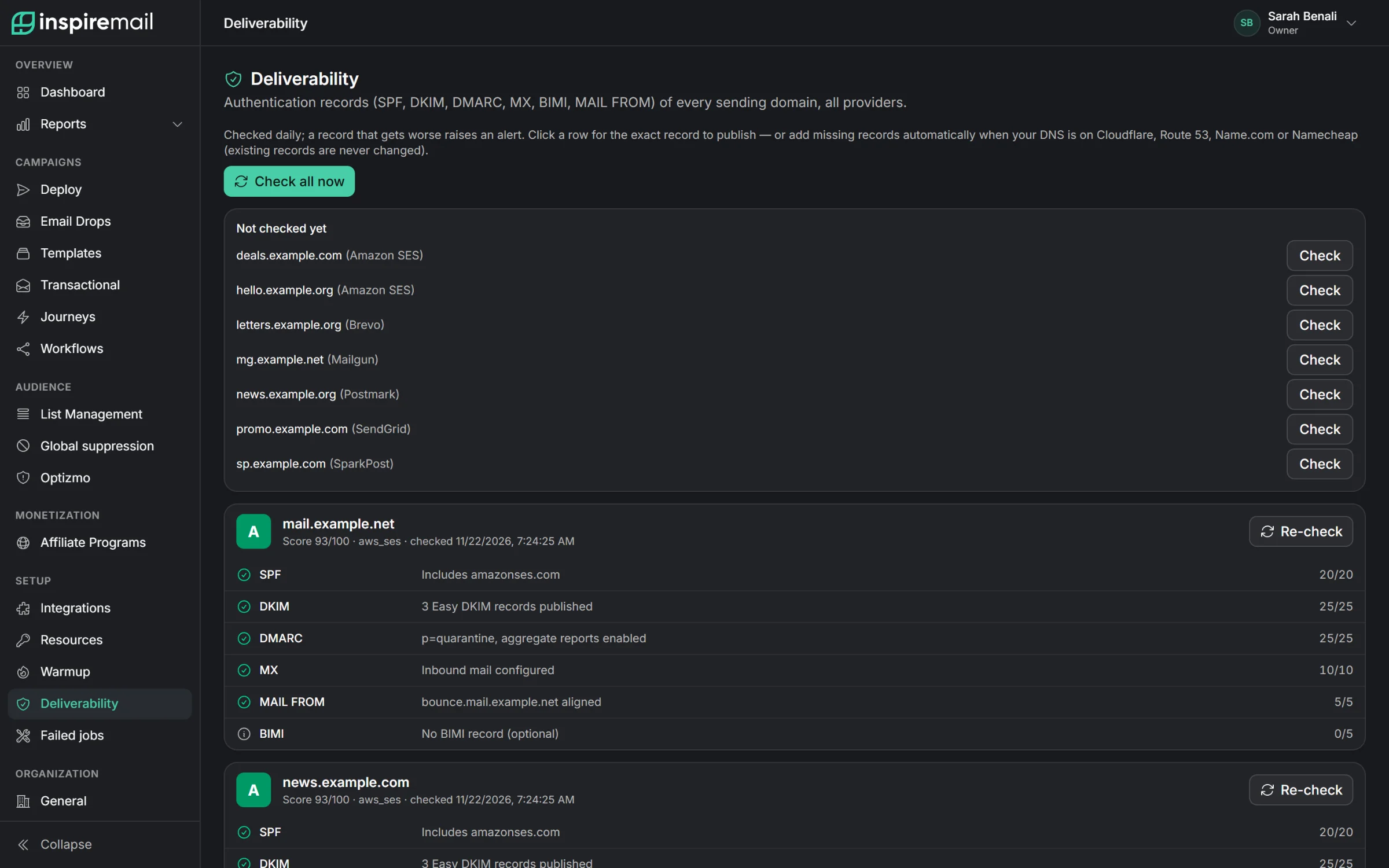
The daily authentication check per sending domain (fictitious demo data).
How we checked this guide
The thresholds and rules come from the Google, Yahoo, Spamhaus and IETF pages linked above, read on 23 November 2026. We tested the link checks in Inspiremail on 23 November 2026 with a demo drop of fictitious data. For the link and authentication checks in the product, see the deliverability toolkit. If something here no longer matches, contact us and we'll correct it, as our editorial policy describes. Read more about us.
Frequently asked questions
Why do my affiliate emails go to spam when my newsletters don't?
Usually because of the links. Affiliate links pass through network and advertiser redirects, sometimes shorteners, and end on offer domains that other senders also mail. Filters judge every domain in that chain, while your newsletter links only point at your own site.
Does a URL shortener hurt deliverability?
Yes. Public shorteners hide the destination and are heavily used by spammers, so their domains often appear on blocklists. Use your own branded tracking domain instead.
Can a network creative cause spam placement?
It can. Creatives sent unchanged by many affiliates share the same content fingerprint, often as one large image with little text. Keep the approved copy, add a plain-text part and check the links before sending.
How do I know if my domain is on a blocklist?
Look up the sending domain, the tracking domain and every domain in your links on the blocklists' own lookup pages, such as the Spamhaus domain blocklist. A listing on a link domain affects every email that contains it.
How long does it take to recover from the spam folder?
It depends on the cause. Fixing a broken DKIM record helps on the next send; a damaged domain reputation can take weeks of small, engaged sends to recover. Stop the cause first, then send only to your most engaged contacts while Postmaster Tools improves.
- affiliate emails going to spam
- email deliverability
- redirect chains
- url shorteners
- spam folder