
KumoMTA and PowerMTA: own MTA integration on request
How an own MTA integration with Inspiremail works for KumoMTA, PowerMTA or an SMTP relay on your IPs: what we need, how it is built and what stays in your MTA.
· 4 min read · By Reda El Kasraoui
TL;DR: Inspiremail doesn't have a self-serve connector for your own MTA today. If you run KumoMTA, PowerMTA or another MTA on your own IPs, we build the integration with you on request: you tell us your MTA, version, how it accepts messages (HTTP API or authenticated SMTP) and how it exports bounces, deliveries and complaints. We build and test it with you, and your MTA then appears in Deploy as a sending route next to the built-in providers. Start from the own infrastructure page or the request form.
An MTA (mail transfer agent) is the server software that actually delivers email to mailbox providers over SMTP. KumoMTA is an open-source MTA with an HTTP injection API; PowerMTA is a commercial on-premises MTA from Bird (formerly SparkPost), known for virtual MTAs and accounting logs.
This guide is deliberately honest about the state of things, because the alternative (a "connect your MTA" button that half works) would be worse for everyone who relies on their own IP reputation.
Who this is for
- You already send from your own IPs and want to keep that reputation, not move to shared infrastructure.
- You want Inspiremail's control plane (lists, suppression, Optizmo, Everflow, Deploy, tracking domains, reports) without giving up your MTA.
- You have someone who can give us API or SMTP access and tell us how events leave the MTA.
If you don't have an MTA yet, the built-in providers are the quicker route: Amazon SES, SendGrid, Mailgun, Postmark, SparkPost or Brevo, each connected with an API key.
Who does what
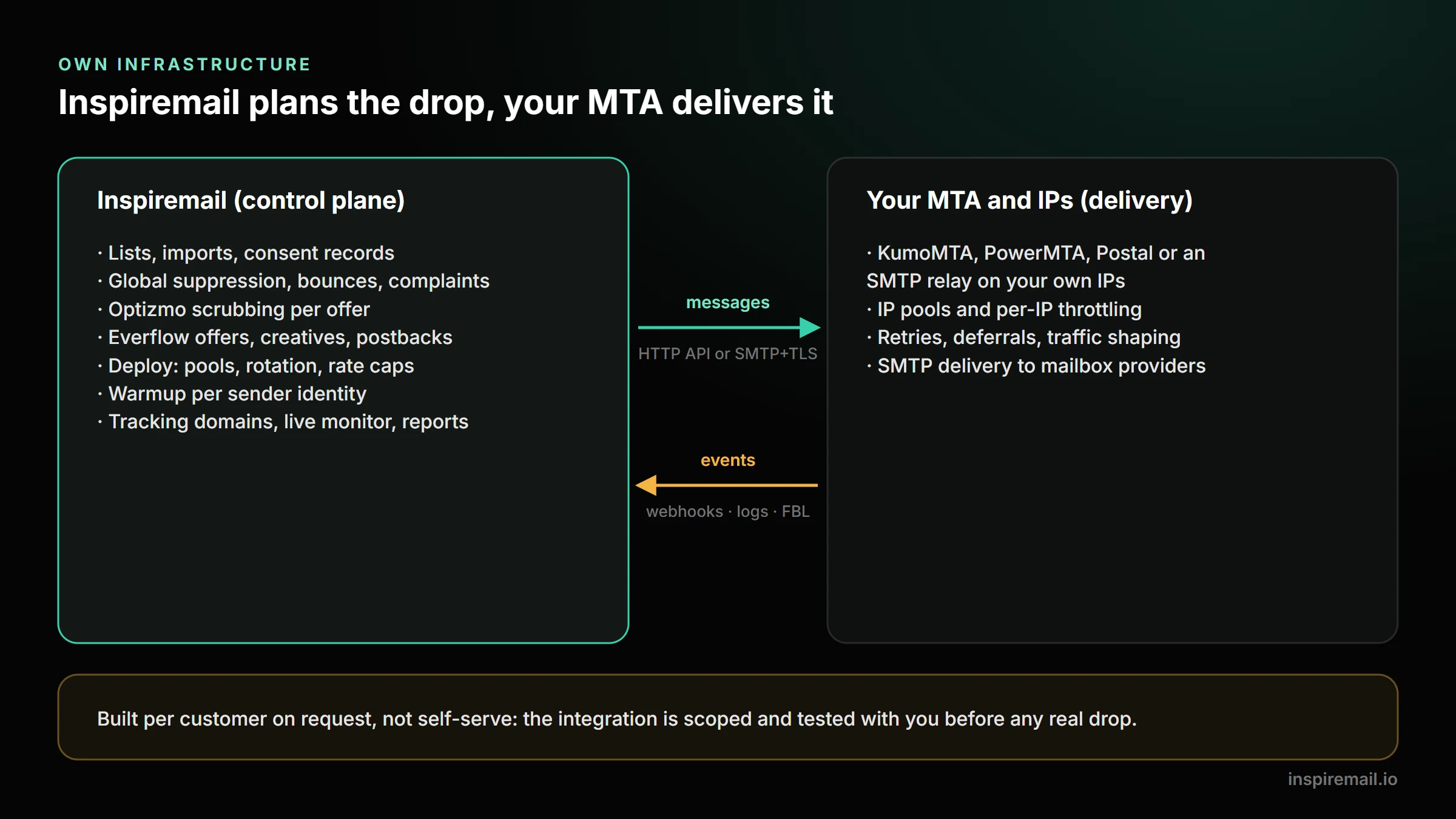 Inspiremail plans, scrubs, tracks and reports. Your MTA delivers from your IPs.
| Stays in Inspiremail | Stays in your MTA |
|---|---|
| Lists, imports, consent records | SMTP delivery to mailbox providers |
| Global suppression, bounces, complaints, Optizmo | Dedicated IPs, IP pools, per-IP throttling |
| Everflow offers, creatives, postbacks | Retries, deferrals, traffic shaping |
| Deploy: sending pools, rotation, rate caps, warmup per identity | Your hardware, hosting and reputation |
| Tracking domains, live monitor, alerts, reports | Bounce, delivery and feedback-loop data, exported to us |
How an integration is built
- Tell us your setup. Your MTA and version, how many IPs and pools, how it accepts messages and how it exports events. The request form prefills these questions.
- We scope the integration. Injection through the MTA's HTTP API (for example KumoMTA's injection API) or authenticated SMTP with TLS; events through webhooks, accounting or log feeds, or a feedback-loop mailbox.
- We build and test it with you. Test sends, bounce and complaint handling and rate limits are checked together before any real drop.
- Deploy as usual. Your MTA appears as a sending route in Deploy, with sending pools, rotation, warmup plans and the live monitor.
What we'll ask you for
| Item | Why |
|---|---|
| MTA type and version | Injection and event formats differ between versions |
| HTTP API or SMTP access for Inspiremail | How messages reach your MTA |
| How bounces, complaints and deliveries are exported | Suppression, auto-pause and reports depend on them |
| Your sending domains and IP pools | So identities, tracking domains and warmup line up |
Bounce data usually follows RFC 3464 delivery status notifications and complaints the ARF format of RFC 5965. If your MTA logs those in its own format, that's fine; we map what it gives us.
Typical starting points
Every setup is different, but most requests look like one of these:
- KumoMTA. Messages can be injected over its HTTP API, and its log hooks can post delivery, bounce and feedback records to a webhook. The KumoMTA documentation describes both, which usually makes for a short scoping call.
- PowerMTA. Messages are typically injected over authenticated SMTP, and results come from its accounting logs. The scoping question is how those logs reach us: a feed, an export or a webhook bridge you already run.
- A plain SMTP relay on your IPs. Authenticated SMTP with TLS for injection, and a bounce mailbox or feedback-loop address for events. Fine for smaller volumes; the event side needs the most attention.
Questions worth answering before you ask
- How many messages per hour do your IPs handle today, and how are they split into pools?
- Do you already receive feedback-loop reports from the mailbox providers that offer them, such as Yahoo's complaint feedback loop?
- Which domains send from which IPs, and do they have SPF, DKIM and DMARC in place? The email authentication check shows where you stand once the domains are connected.
- Who on your side can test with us, and when?
Clear answers here make the scoping call short and the first test send uneventful.
What you get once it's live
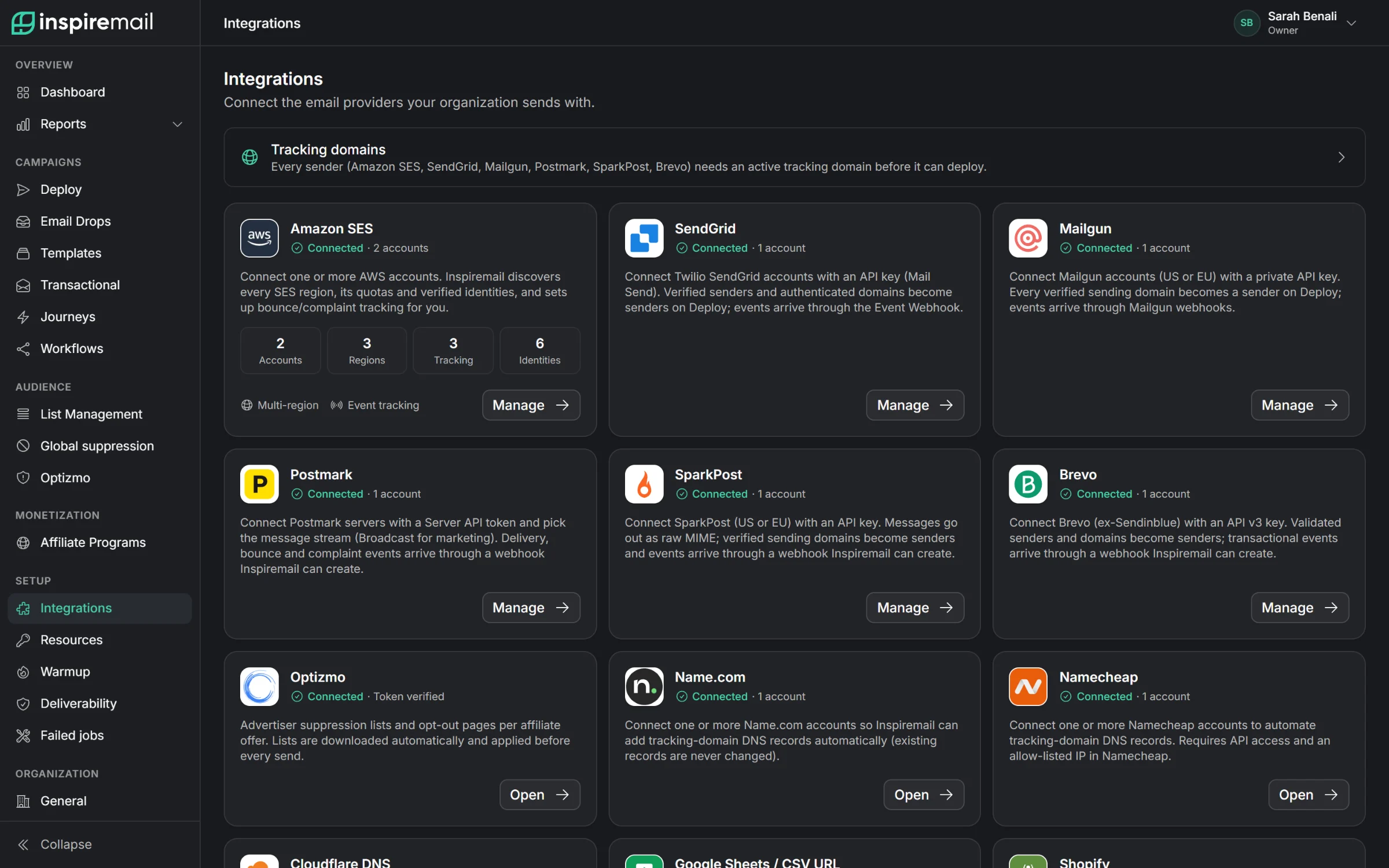
The Integrations page today. An integrated MTA becomes one more sending route here and on Deploy.
- The same Deploy flow as for built-in providers: offer, lists, senders or a sending pool, rotation, rate cap and seeds.
- Tracking on your domains: clicks, opens, unsubscribes and images on a branded tracking hostname per sender.
- Warmup per identity on top of your IP-level ramp, so a new domain on an old IP still starts gently.
- Bounces and complaints flowing back into suppression, auto-pause and reports.
- Mixing routes: your MTA next to an ESP account, each in its own drops.
How we checked this guide
We analyzed the KumoMTA documentation and the RFCs linked above on 22 November 2026, and took the process and the requirements from our own infrastructure page, where they're kept up to date. Nothing in this guide describes a self-serve feature that doesn't exist. If something here no longer matches what you see, contact us and we'll correct it, as our editorial policy describes. Read more about us.
Related guides
Multi-provider sending, and sending pools and rotation for how routes are combined on Deploy.
Frequently asked questions
Can I connect KumoMTA or PowerMTA myself in Inspiremail?
Not yet. Built-in providers connect with an API key in minutes, but your own MTA is integrated per customer on request: we scope and build it with you against your MTA's HTTP API or authenticated SMTP and its event feed.
Which MTAs can be integrated?
KumoMTA, PowerMTA, Postal, Haraka, MailerQ, Momentum or any SMTP relay on your own IPs with authentication, TLS and a bounce feed.
Who manages IP warmup and IP pools?
IP pools, per-IP throttling and MTA-level traffic shaping stay in your MTA. Inspiremail adds its own warmup plans per sender identity, sending pools, sender rotation and send-rate caps on top.
What happens to bounces and complaints from my MTA?
The integration reads your MTA's bounce, delivery and feedback-loop data. Hard bounces and complaints are suppressed automatically and feed auto-pause, alerts and reports, as with any built-in provider.
How long does an integration take and what does it cost?
It depends on the MTA and on how it exports events, so we don't publish a fixed timeline or price. We scope it with you first, before anything is built.
- own MTA integration
- kumomta
- powermta
- dedicated ips
- smtp relay